
Tools and providers
Part of Build a supplier stack for video marketing agencies that lasts
Video marketing agency tool rollout: the right order
Tool implementation for a video marketing agency runs in three passes: rights and data first, then buying platforms, then measurement.
What to take away
- Tool implementation for a video marketing agency now starts with data protection sign-off, not software selection. UK GDPR and the Data Protection Act 2018 set the rules, the ICO's CCTV and video surveillance guidance shows how they apply to filming and footage handling, and most controllers must pay the ICO's data protection fee to appear on its register.
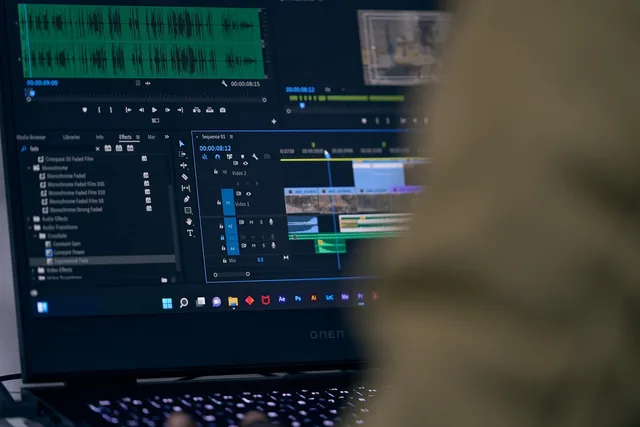
- The tools that hold footage sit inside that first passediting suites such as Adobe Premiere Pro and DaVinci Resolve, review and approval tools such as Frame.io, and digital asset management platforms such as Bynder are configured to the retention and access rules you set.
- Buying tools follow. Google Ads, Meta Ads Manager and Display & Video 360 have a documented baseline in the IAB UK Back to Basics Guide to Programmatic, so connect them to that framework before you connect them to your creative workflow.
- Measurement comes last. Google Analytics 4 and Looker Studio carry the reporting, and ISO 10668 gives you a recognised standard to anchor return figures rather than invented percentages.
- Sequence implementation in three passesrights and data, then buying, then measurement.
Implementation order decides whether your tools help or hinder. Start with the rules that govern footage and personal data, because a tool bought before that review often cannot be configured to comply later without rework. Tools also arrive faster than the rules that govern them, which is why the sequence matters more than the shopping list.
Stage one, rights, data and filming rules
Map where footage and personal data travel
List every system that touches raw footage, contributor details or audience data. Editing suites such as Adobe Premiere Pro and DaVinci Resolve, review and approval tools such as Frame.io, digital asset management platforms such as Bynder, and publishing destinations such as YouTube and Vimeo each hold part of what a single shoot generates: rushes, consent records, edit proxies and published cuts. Give each system an owner and a review date, so the map does not go stale after the first campaign.
Retention and access setup
- Write retention policy before configuring tool
- Record who approved the policy
- Configure retention windows in asset tool
- Test that deletion actually runs
Footage and data journey
- Shoot generates rushes and consent records
- Edit proxies stored on a platform
- Published cuts distributed
- Each system needs an owner
- Each system needs a review date
Set the retention and access rules first
The ICO's guidance on CCTV and video surveillance explains the expectations around capturing images of identifiable people and how long to keep them. Under UK GDPR and the Data Protection Act 2018 that means a lawful basis for processing, a data protection impact assessment where the filming is high risk, and retention limited to what the purpose needs. The guidance does not set one retention period for every organisation; it asks you to justify the period you choose, write it down, and delete when it expires. Configure retention windows in your asset management tool to match your own policy, then test that deletion actually runs. Write the policy before you configure the tool, and record who approved it.
If your team is still choosing vendors, treat that as a separate exercise that comes after the rights and data pass rather than before it. The procurement stages that lead to a signed licence are a later decision, once the retention and access rules above are set. When you do shortlist, judge each vendor on three things: can it enforce your retention settings, can it export your data in a usable format, and does it say where the data is stored?
Stage two, buying and media tools
Connect buying platforms to a shared brief
Media buying tools rarely fail on features. They fail because the brief, the audience definition and the creative specs live in three places. Google Ads, Meta Ads Manager and Display & Video 360 read from whatever you connect them to, so put the brief in one system and reference it from the buying platform. Version it, so buyers can see what changed and when.
The IAB UK Back to Basics Guide to Programmatic covers the mechanics of programmatic video and social buying, including how inventory is traded in open auctions, private marketplaces and guaranteed deals. Use it to write your own setup checklist so planners and buyers share the same vocabulary.
Test tracking before you scale spend
Run a small live campaign with full tracking switched on. Check that view events, click events and conversion signals all land in the same reporting view — in most teams that is Google Analytics 4, with a Looker Studio dashboard on top. Fix discrepancies at low spend, not at peak spend, and record the baseline figures so later changes are easy to spot.
Annual licences are the hardest commitment to reverse. Run a live campaign on the platform you shortlist — a buying platform, a review and approval tool or a measurement suite — before you sign for a year, then compare what each one actually reported.
Stage three, measurement and value
Anchor return figures to a method
Return on brand work is easy to assert and hard to prove. ISO 10668, the standard for valuing brands, gives a structured approach you can point to when a client asks how a figure was reached. Build your dashboard fields around that structure rather than around whatever the tool exports by default.
Review at fixed intervals
Set a review date for every tool you switch on. Ask three questions: is the data complete, is anyone using the output, and does the licence still match the work? Drop tools that fail two of the three. Keep a short log of the sequence — tool, owner, review date, output — in a project management tool such as Asana, Trello or Monday.com, so nothing becomes permanent by default.
Before and after implementation
Before
- Filming consent
- Paper forms, unclear storage
- Buying brief
- Held in email threads
- Tracking
- Checked after launch
- Return reporting
- Asserted in review decks
- Reviews
- Ad hoc
After
- Filming consent
- Retention rules set in the asset tool
- Buying brief
- Single brief referenced by the buying platform
- Tracking
- Tested at low spend before scaling
- Return reporting
- Anchored to a stated valuation method
- Reviews
- Fixed dates with three set questions
For a worked example, a team paying £400 a month for an asset platform that nobody opens after month two is spending £4,800 a year on storage alone. The review questions above would catch that.
Common questions
How long should implementation take?
Allow two to three weeks for the rights and data pass, then one to two weeks each for buying and measurement. Rushing the first pass is the most common cause of rework.
Do we need every tool before the first campaign?
No. Run one campaign with a minimal stack, then add tools where a specific gap appears in reporting or workflow.
Who should own the implementation?
One named person should own the sequence, even if several teams do the work — in most teams that is the marketing operations lead or the account director. Shared ownership is why tracking checks get skipped.
What if a tool cannot meet our retention rules?
Replace it or restrict what it stores. Do not rely on manual deletion as a permanent control.